






Hello there! If you’re an entrepreneur running a Shopify store, you know the feeling: you’ve built a beautiful brand, but the sales aren’t matching the traffic. That gap is where optimization lives. Forget the jargon and the overly complex charts; this isn’t just about technical tweaks. Optimization is an essential business strategy that determines your store’s ecommerce profitability and long-term resilience.
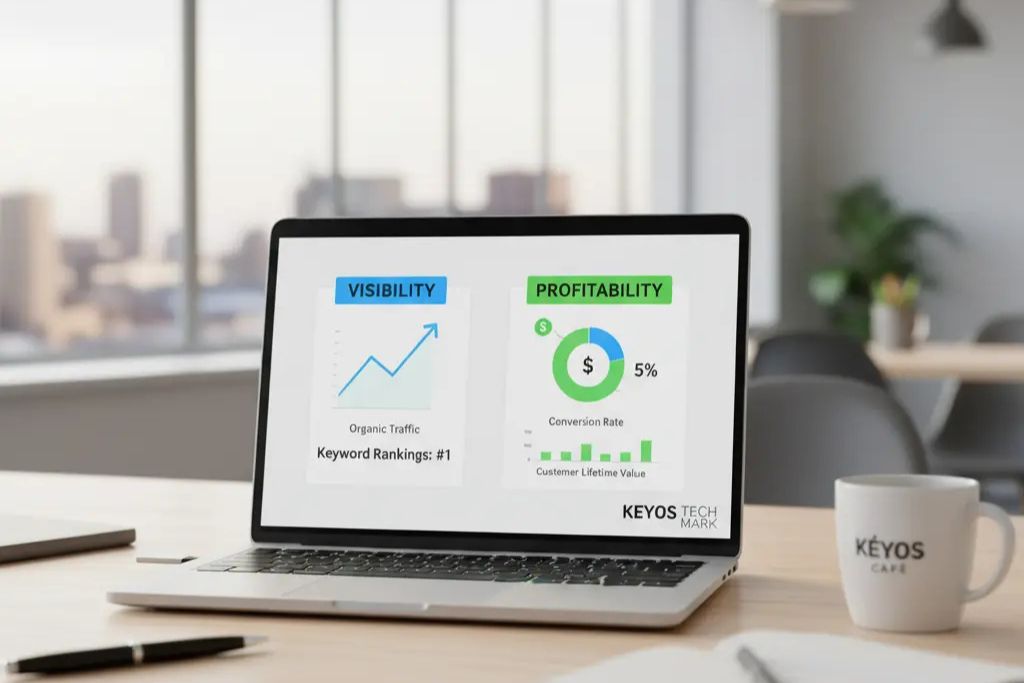
We’re going to approach this guide with a clear understanding: a truly successful store stands on two foundational pillars: Visibility (getting seen via SEO, which is essential for great user experience) and Profitability (converting visitors via CRO). Let’s lay out the roadmap to transform your store from a shop window into a revenue-generating machine.
Section 1: Laying the Foundation—Technical Health & Site Speed (The Engine)
The first step is checking the health of your engine. Think of your store’s performance like a high-end race car: if the engine is sluggish, it doesn’t matter how great the paint job is. Google favors fast, stable websites, and your customers demand them. Achieving fast loading speed is paramount.
Why is my Shopify store slow? The 3-Second Rule
Every second counts. Data shows that if your page takes longer than three seconds to load, your bounce rate—that is, the percentage of visitors who leave immediately—skyrockets. To get ahead, start with your media. You need an Image Optimization Masterclass. This involves compressing your images to minimize file size without losing quality.
Critically, ensure you use descriptive file names and accurate Alt Text (alternative text). Alt Text isn’t just for accessibility; it’s how search engines understand what’s in your picture, which is a win for both speed and SEO.
Next, conduct an App Audit. We all love Shopify apps, but they can be a hidden killer of site speed, loading bulky, unnecessary code. Regularly review and remove any redundant or unused apps.
Finally, remember that your Shopify theme is the core Minimizing Code Clutter. Choose a modern, responsive theme, as these are inherently faster and built to minimize code bulk.
Technical SEO Essentials: Is Google on the right path?
We need to make sure search engines can navigate your store perfectly. This starts with Setting up Your Tracking GPS—integrating Google Analytics and Google Search Console. These free tools provide crucial feedback on how users find and interact with your site. Next, check your Sitemaps and Indexing. Shopify automatically generates a sitemap.xml file, which is essentially a map of your store. You need to ensure this map is submitted to Google Search Console so the search engine knows exactly which pages to crawl and prioritize.
Finally, confirm your store has a Mobile-First Mentality and is ready for small screens. This means smooth, touch-friendly navigation and easily readable text. Don’t forget Fixing Roadblocks: constantly check for and resolve 404 errors (broken pages) or unnecessary redirects, which lead to a fragmented and frustrating customer experience.
Section 2: Attracting the Right Customers—SEO & Content (The Map & Magnet)
Now that your site is fast, we need to ensure the right people find it. Search Engine Optimization (SEO) is simply the process of speaking your customer’s language so that when they search for what you sell, you show up first. These ecommerce visibility tactics are vital.
The Heart of Visibility: Understanding Search Intent
When someone types a query into Google, they have a goal, or Intent. We differentiate between two types: Informational intent (they want to learn, like “how to fix a bicycle tire”) and Transactional intent (they are ready to buy, like “buy road bike tires near me”). You must match the intent to the right page—blogs for informational, and product/collection pages for transactional searches.
This is where the Power of Long-Tail Keywords comes in. Instead of trying to rank for a hyper-competitive term like “electric kettle,” target the specific, conversational phrase your customer is actually using, like “small electric kettle for desk.” These longer, more specific phrases lead to customers who are much closer to purchasing.
On-Page Optimization: Making Every Page Click-Worthy
We turn to your Optimized Metadata: the Title Tags and Meta Descriptions. Your Title Tag is the blue clickable link in the search results and should be concise, compelling, and keyword-rich, ideally under characters. Your Meta Description is your mini-advertisement; treat it as a sales pitch to drive the click, keeping it under 160 characters. Always ensure your URL Structure is clean, readable, and focused.
Also, pay attention to your Heading Hierarchy (H1 to H6). The H1 should be the main topic of the page (and you should only have one!), with H2 and H3 used as sub-sections to guide the reader and search engine through the content.
Content that Converts: From Descriptions to Schema
Never copy and paste manufacturer text for your Product Descriptions. Instead, focus on benefits, paint a picture of the product in use, and include essential details like dimensions and care instructions. Leveraging the Blog for Traffic is key for targeting those informational keywords we discussed, establishing your authority, and providing “people-first” content that is helpful and reliable.
To bring it all together, implement an Internal Linking Strategy, connecting related products and blog posts. This helps customers discover more of your inventory and, in SEO terms, spreads authority across your site.
Finally, use Schema Markup (Structured Data). This is a technical way of tagging your page elements (like product price and star ratings) so Google can instantly create visually rich snippets—like the star ratings you see in search results—to make your store instantly stand out.
Section 3: Turning Visitors into Buyers—Conversion Rate Optimization (The Checkout Experience)
Optimization shifts from attracting eyes to opening wallets. Conversion Rate Optimization (CRO) is about removing every obstacle between the customer and their purchase. Implementing powerful conversion optimization techniques is the key here.
Start with User Experience (UX). Your site needs a Simplified Store Design that prioritizes clarity over complexity. Your Intuitive Menu Structure should ensure every product is accessible within a few clicks; if a page is hard to find, it’s an “orphaned” page that won’t sell anything. And since customers can’t physically touch the product, your Visual Proof must be perfect: high-quality, multiple-angle, and lifestyle photos/videos build crucial confidence.
To Maximize the Sales Funnel, you must address Abandoned Cart Recovery. Over 70% of shoppers leave items behind, so implementing gentle, automated email or SMS reminders is crucial for recouping lost sales. Use Upselling and Cross-Selling strategically—don’t just recommend random products, suggest complementary items (e.g., “Add the matching scarf”) that genuinely enhance the purchase.
Finally, Streamlining Checkout is non-negotiable. Minimize unnecessary form fields, offer guest checkout, and ensure all popular payment options are clearly displayed and functional. Consider Personalization, such as showing dynamic product suggestions based on a visitor’s recent browsing history, to make them feel understood.
Section 4: Building Authority and Trust—Off-Page SEO & Social Proof (The Reputation)
Your store’s success depends on its reputation across the internet. Off-Page SEO is about proving your authority to search engines and enhancing your overall EEAT (Expertise, Experience, Authoritativeness, and Trustworthiness). The highest form of praise in Google’s eyes is a Quality Backlink—a link from a relevant, reputable website to your store.
Focus on Quality Over Quantity by seeking links from industry publications, not spammy directories. This requires Proactive Strategies like guest posting on authority blogs or creating unique, shareable content that others naturally want to link to.
Customer Trust and Social Validation are equally vital. Since Reviews are Ranking Factors, actively encourage both product and third-party reviews (like on Google). Use Testimonials and Trust Badges—security logos and positive feedback—to reduce perceived risk.
Integrating Local SEO (GEO-Targeting)
If you have a physical presence, or if your products serve a specific region, you must integrate a powerful local SEO strategy for ecommerce. This is where GEO-Targeting comes into play. You need to optimize your Google Business Profile (GBP) and ensure NAP (Name, Address, Phone) consistency across every online listing. This tells Google exactly where you are and helps you rank for “near me” searches, giving you a competitive edge in your geographic area.
Section 5: Measurement and Growth—The Continuous Improvement Cycle
What gets measured gets managed. You need to regularly check your pulse using key metrics.
Your three most important categories are Visibility Metrics (Organic Traffic Volume, Keyword Rankings), Performance Metrics (Page Load Times, Bounce Rate), and, most importantly, Profitability Metrics: your Conversion Rate (the percentage of visitors who buy), Average Order Value (AOV), and Customer Lifetime Value (CLV).
Establish an Audit and Action Plan. Make it a non-negotiable routine: Monthly Check-ins to review traffic and keyword positions, and a Quarterly Deep Dive to conduct a full technical audit. Commit to Staying Adaptable—the digital landscape is always changing, and your strategy must evolve with it.
Conclusion: Your Optimized Future
Building an optimized Shopify store is an investment in your brand’s future success. Every enhancement in speed, content, and user experience contributes to long-term profitability. If you’re seeking a trusted Shopify development company in Pune to refine your store design, SEO, and conversion strategy — Keyos Tech-Mark is here to help.
Let’s turn your Shopify store into a high-performing, revenue-generating digital asset today.